Pin your stop
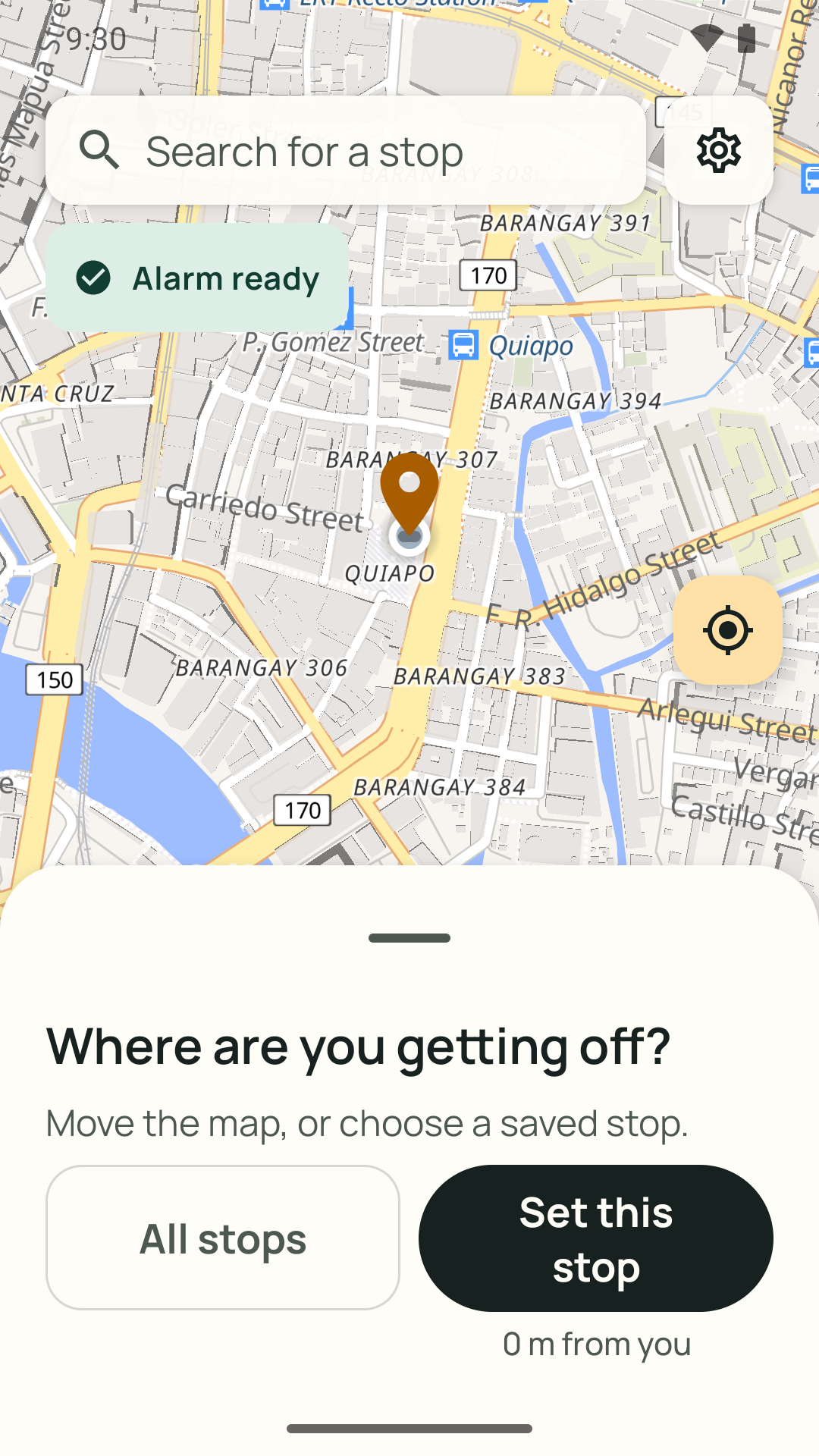
Search for your stop by name, move the map until the pin sits on it, or tap a stop you have saved before.
 Malapit Na
Get the app
Malapit Na
Get the app
Set where you’re getting off. Malapit Na alerts you as you get close, so you can rest, read, or scroll on bus and train rides—at home or abroad.
 Free · No ads · No account · English, Filipino & Hindi
See how it works ↓
Free · No ads · No account · English, Filipino & Hindi
See how it works ↓
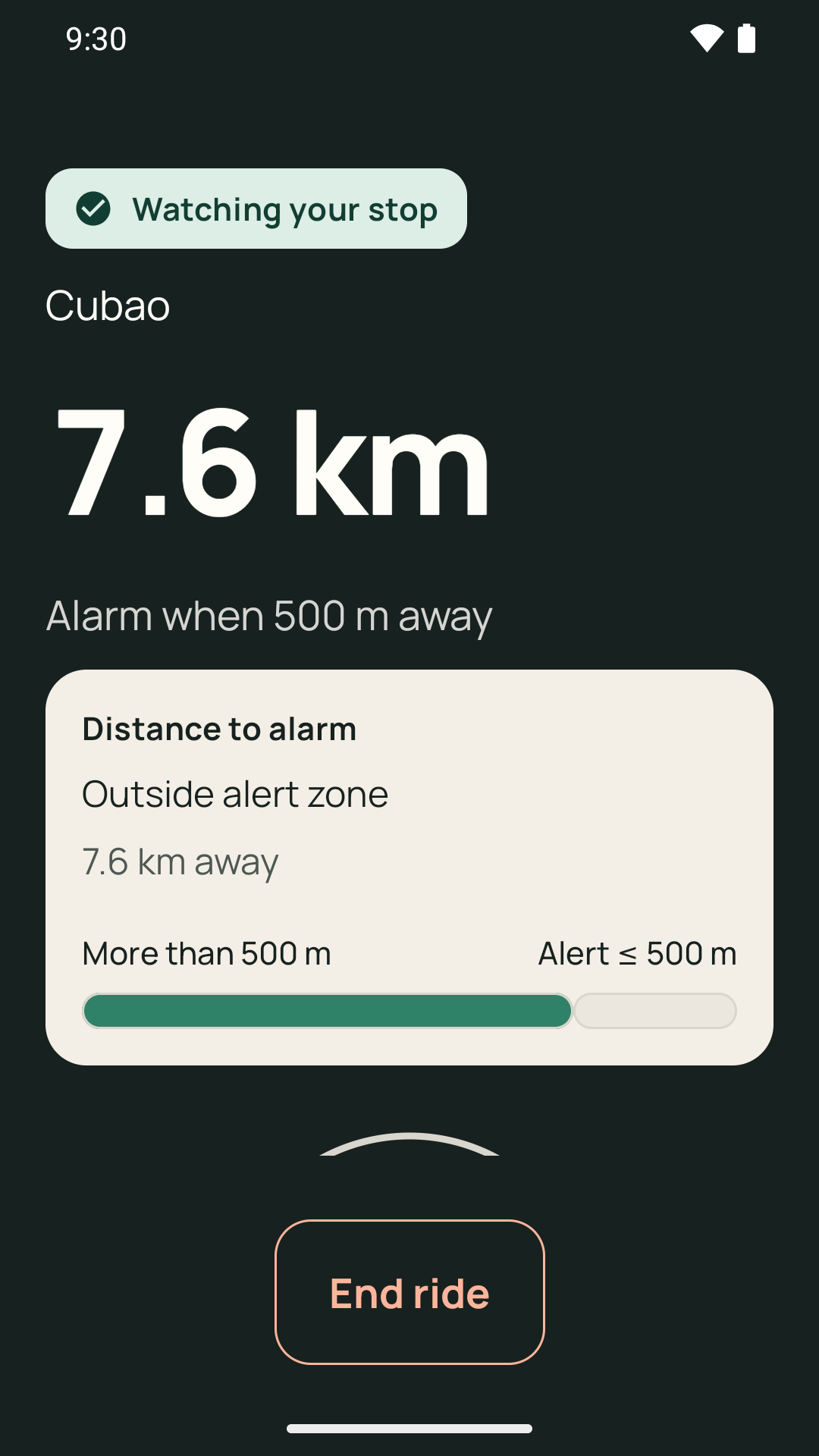
Search for your stop by name, move the map until the pin sits on it, or tap a stop you have saved before.
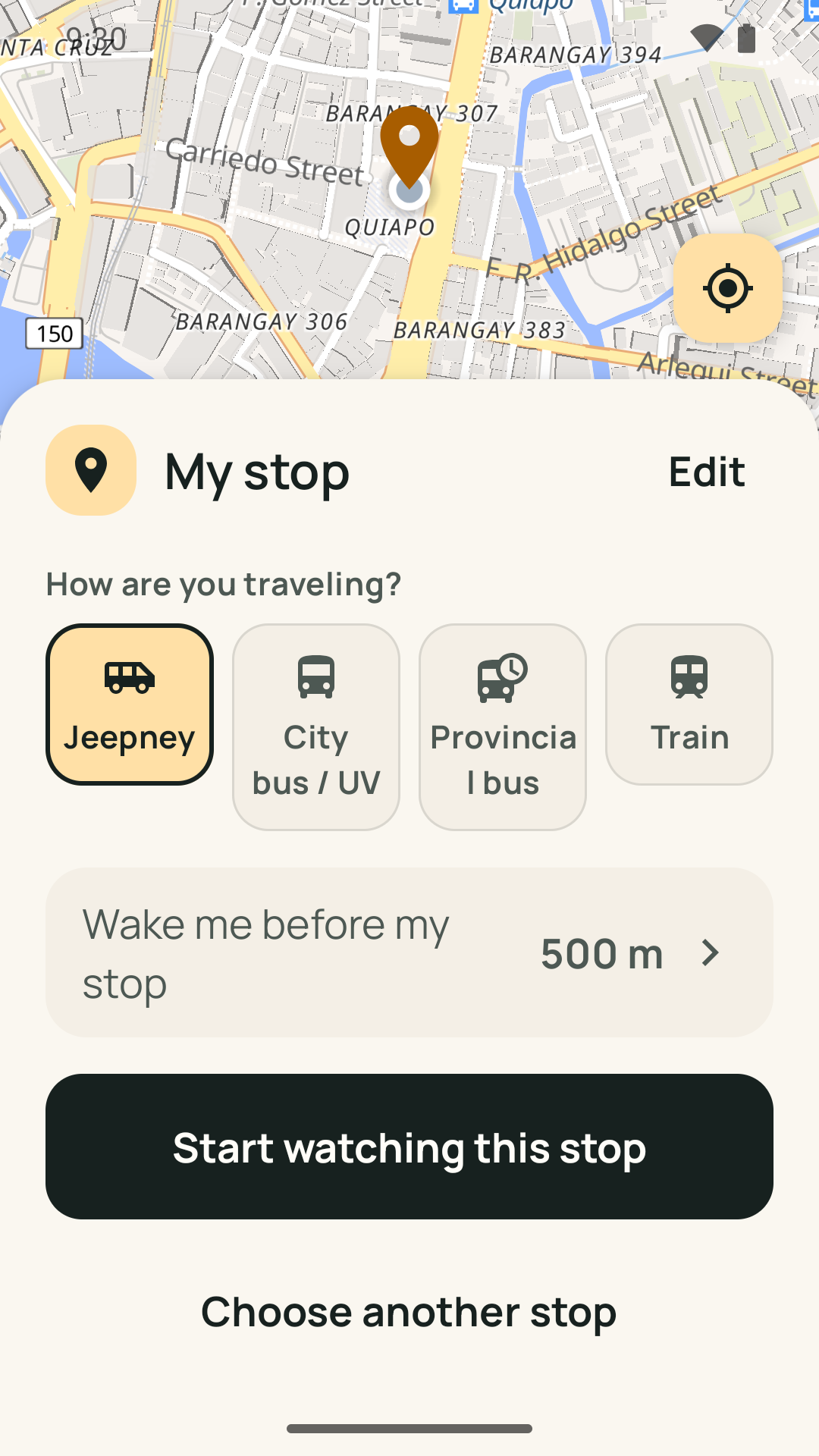
Jeepney, city bus, UV Express, provincial bus, or train—each one sets how early the alarm should ring.
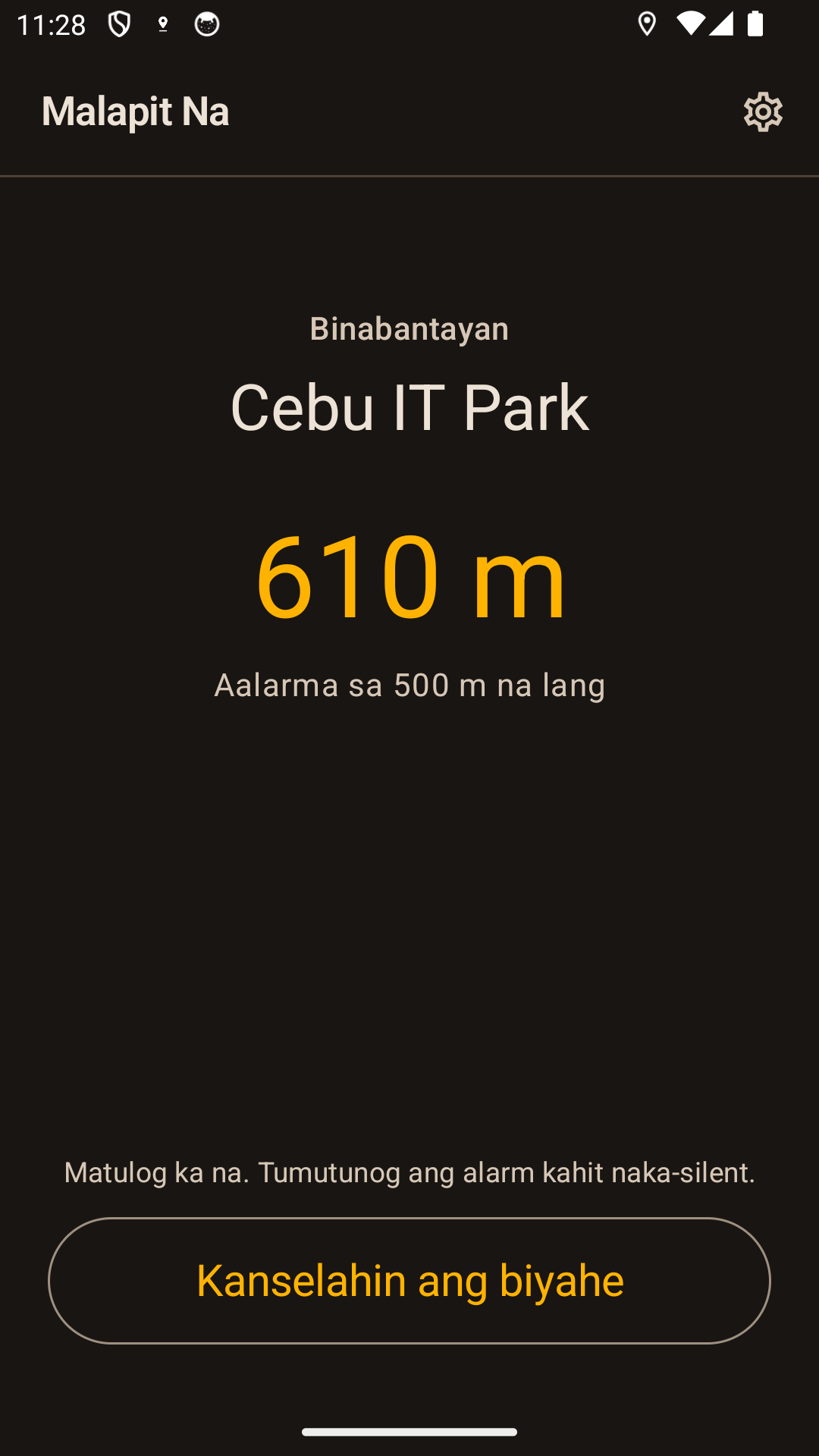
Sleep, scroll, or stare out the window. The alarm is designed to work with the screen locked. Check your alarm volume and background settings before your first ride.
Once your stop is set, the alarm uses GPS without mobile data. GPS still needs reception: tunnels, underground stations, and some buildings can block it. Offline does not mean an alarm is guaranteed everywhere.
Use Malapit Na on bus and train journeys around the world, including jeepney and UV Express rides in the Philippines. Choose your destination on the map, pick the closest ride preset, and adjust how early you want the alarm. It follows your distance to the pin, with GPS reception and your phone’s settings determining how well it works.
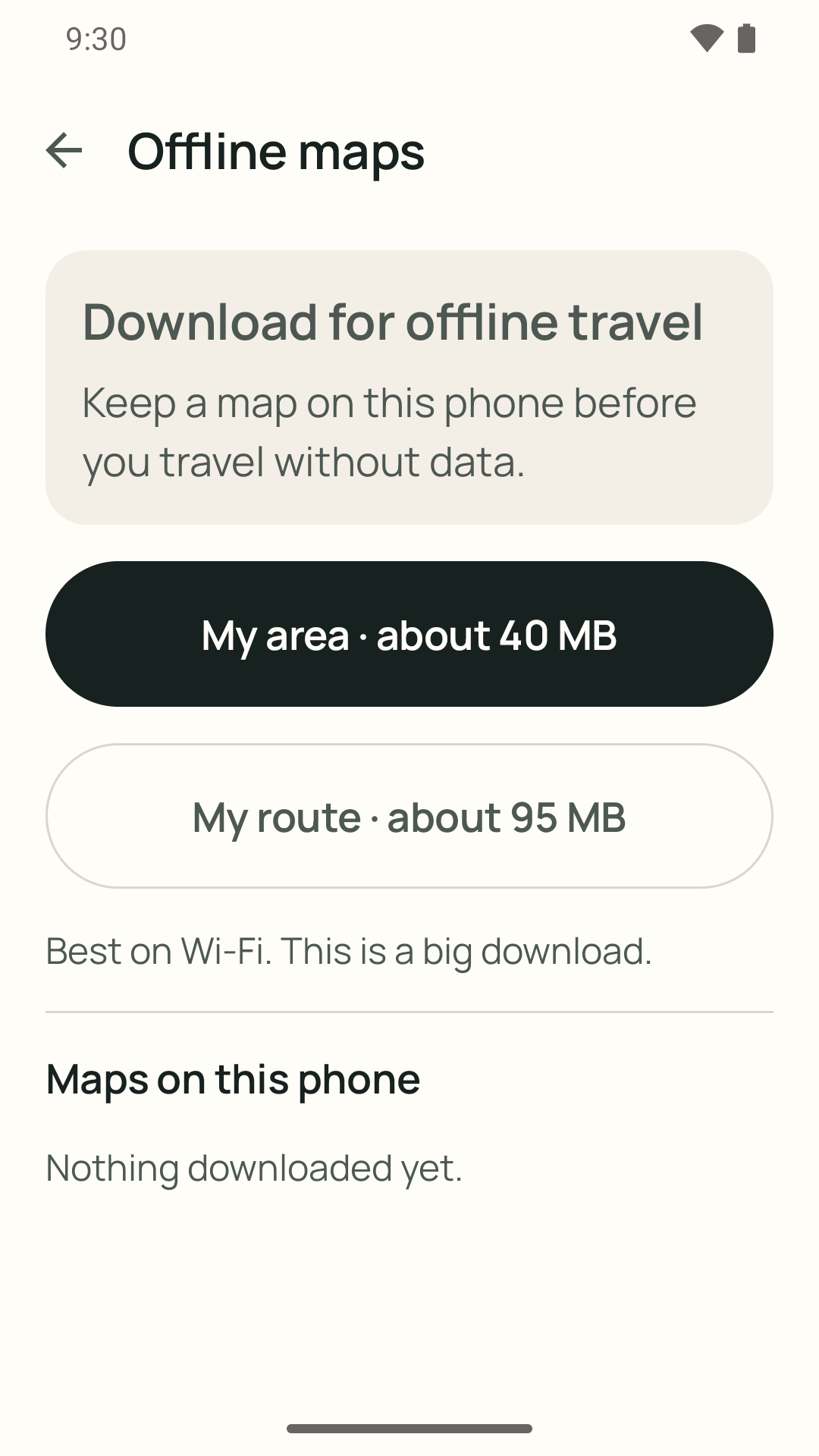
Your ride stays on your phone. Active rides, saved stops, settings, and ride history never leave your device, and there is no Malapit Na account, no ads, and no Fri Vei As analytics or backend. Optional place search uses an online service: the words you type and your approximate location go to Photon, an open geocoder run by Komoot, to fetch nearby matches — only while you search, and you can skip it by moving the map or using a saved stop. Map tiles are fetched from OpenFreeMap with no API key and no account, and offline map packs you download stay on your phone.
Read the privacy policy →Kumpleto rin sa Filipino ang site na ito—pati na ang app mismo. Piliin lang ang wika sa Settings.
Basahin sa Filipino →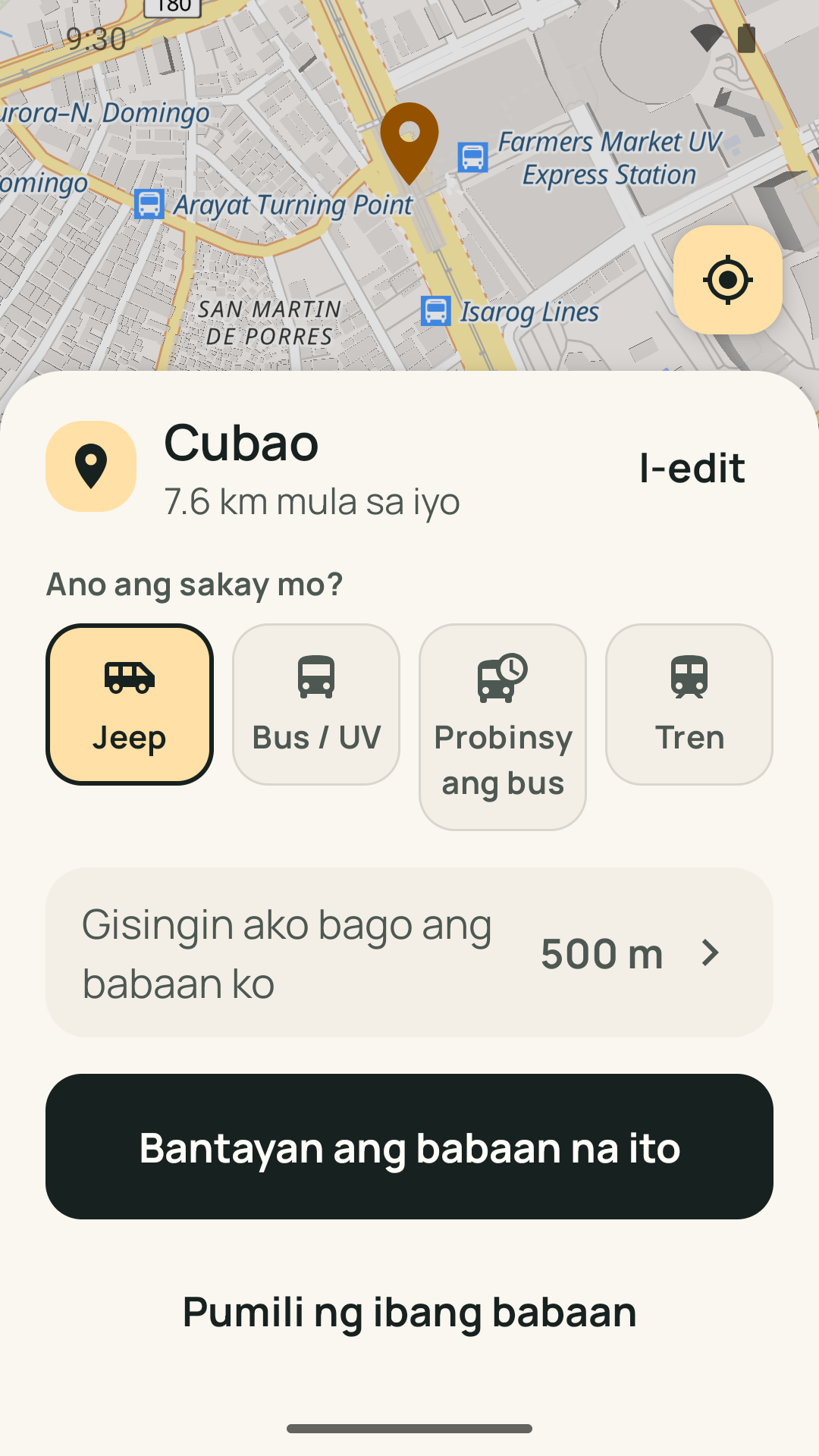
Answers to the questions commuters ask before they trust an alarm with their stop.
What a location alarm is, how it differs from a clock alarm, and how to set one so it rings before your stop.
Why night buses are the hardest ride to wake up on, and how to set the alarm before you board.
GPS is not the internet. What still works with no signal, what does not, and how to prepare.
Why each ride gets its own preset distance, and how to adjust it so you reach the door in time.
Where Google Maps helps, where it stops short, and how to hand a Maps pin to an alarm that rings.
Setting a station alarm for Manila's trains, where GPS works on elevated lines, and what happens underground.
Your next ride, with one less thing to keep checking. Free on Android, with no ads or account.